Why Activate 2FA for Your Neho Account?
Two-factor authentication (2FA) significantly enhances the security of your online accounts by adding an extra step of verification.
After entering your password (first factor), 2FA requires a unique code generated by an authentication app (second factor). This process ensures that even if your password is compromised, unauthorized access to your account remains highly unlikely. The generated code changes regularly, offering a dynamic layer of security against hacking attempts. For Neho users, this means increased protection of their personal data and real estate transactions.
Setting Up 2FA
At Neho, we have chosen to offer only software options for two-factor authentication, which are safer than traditional SMS. Two choices are available to you:
-
Install a dedicated app like Google Authenticator, Authy, or Microsoft Authenticator.
- Use the native functions of your device. We explain how to proceed in two standard cases when you start the procedure to configure two-factor authentication:
With Google Authenticator:
-
Download Google Authenticator from the App Store or Google Play.
- Sign in to the app with your Google account.
- Directly from this app, click the "+" button then "Scan a QR code", and scan the QR code appearing on the screen at neho.ch. You can also enter the configuration key manually.
- A temporary code will appear in your app for neho.ch: enter it in the dedicated field... and that's it! Your account is now secure.
With the Native iOS Solution:
-
On your iPhone, open "Settings" then "Passwords and Accounts".
- Select "Add Account" and choose "Other" to configure manually.
- Follow the instructions to link this account to your Neho account using the specific password generated.
Logging Into Your Neho Account with 2FA:
After configuration, for each login to Neho on a new device:
-
Enter your email and usual password.
-
Open your 2FA app to get the security code.
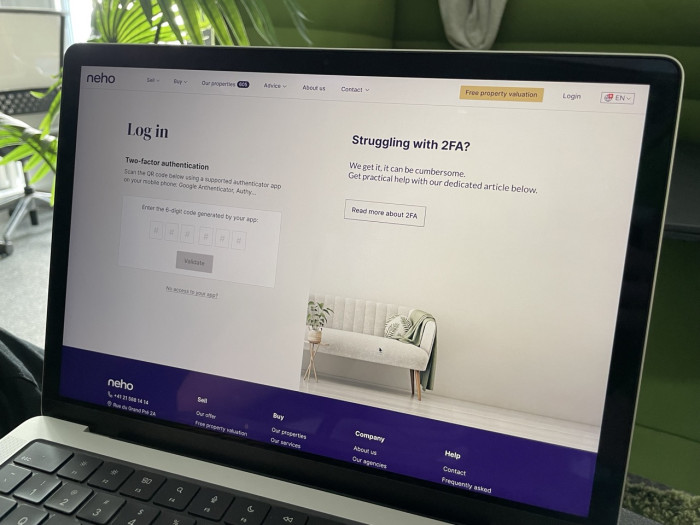
- Enter this code on the Neho login page to finalize access to your account. That's it! We will periodically ask you to validate again that it is indeed you using a new security code.
Management and Use of Recovery Codes
When setting up two-factor authentication (2FA) for your Neho account, you will receive recovery codes. These codes play a crucial role in securing your account, especially in situations where you might lose access to your authentication app, like Google Authenticator, or your iOS device.
Why are they important?
Recovery codes are your backup plan. In the event that you lose your phone, it is damaged, or if for any reason you cannot access your authentication app, these codes will allow you to log into your Neho account without interruption.
How to securely store them?
-
Security: Treat these codes with the same level of security as you would your passwords. This means they should never be stored on devices or places easily accessible by others.
- Accessibility: Keep them in a location where you can access them if necessary. This could be a digital safe, a secure password manager, or even a physical copy in a safe place like a safe or a locked drawer.
- Redundancy: Consider having multiple secure copies in different locations to avoid losing them all in an incident (e.g., a flood or fire).
Using recovery codes:
If you cannot use Google Authenticator or your iOS phone to generate the 2FA security code, you can use one of your recovery codes to log into your Neho account. Simply enter one of these codes when prompted to provide the 2FA security code. Each code can only be used once, so after its use, it becomes invalid.
Conclusion
Activating two-factor authentication is an essential step in securing your real estate transactions on Neho. For any additional assistance, do not hesitate to contact our customer service. Together, let's ensure the security of your data and the peace of your real estate transactions.